Features
Everything on the official WhatsApp Cloud API, shown on the real screens.
Eight parts, one login. Each section below is a page you can open on the first day of the trial, not a mock-up.
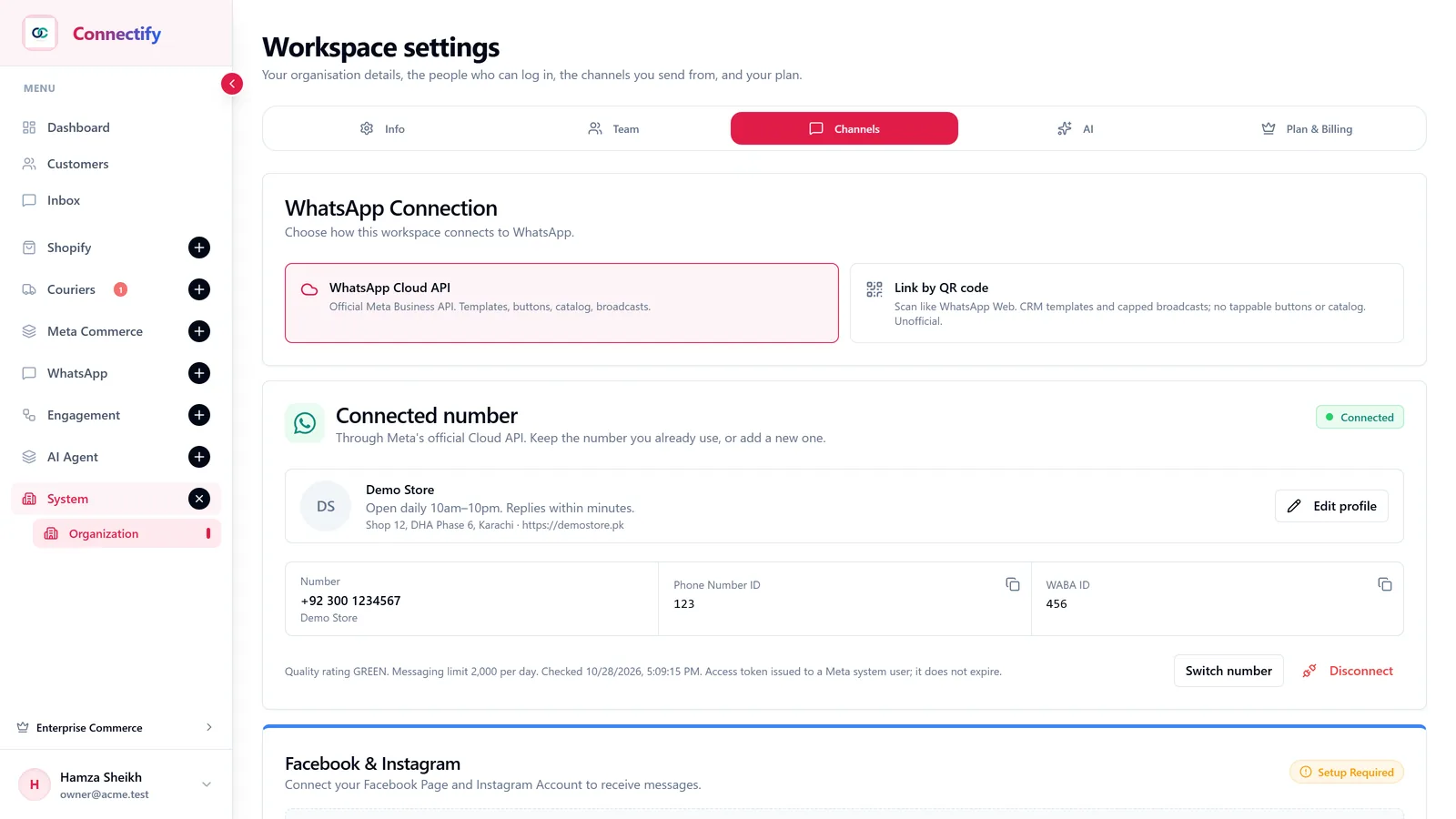
Connect
Your number, on the official Cloud API, in one sitting
Connect through Meta’s Embedded Signup and the number, token and webhooks are set up for you. The account health that Meta reports stays visible on the same screen.
- Embedded Signup
- Log in with Facebook, pick the WhatsApp Business Account, done. No copying tokens from the Meta dashboard.
- Start with a QR code
- No API access yet? Link the number you already use today and move to the Cloud API later with your chats intact.
- Account health
- Quality rating, daily messaging limit and token status, checked for you and shown in plain words.
- Business profile
- Edit the description, address, hours and website your customers see on WhatsApp, without leaving the app.
- Instagram and Messenger
- Connect the Facebook Page and Instagram account so those conversations land in the same inbox.
Shared inbox
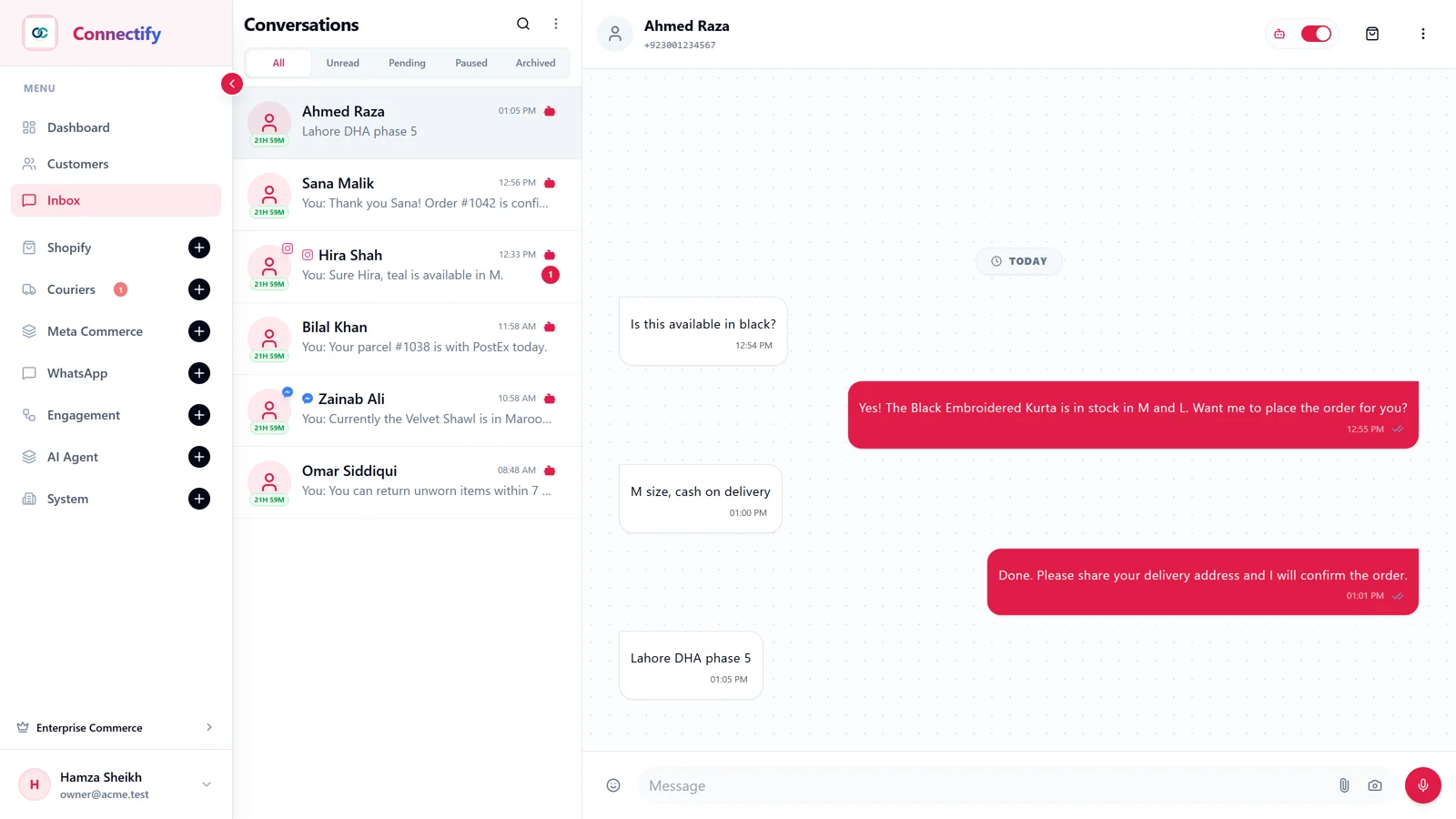
One inbox for the whole team, not one phone for one person
Every agent logs in with their own account. Chats from WhatsApp, Instagram and Messenger sit in one list, and you can see who answered what.
- Assignment
- Hand a chat to a teammate, or let the agent keep it until a person is needed.
- Internal notes
- Leave a note on a conversation that the customer never sees.
- Labels and filters
- Tag conversations, then filter by unread, pending, paused or archived.
- Contacts with tags
- Import your customer list from a CSV with tags, and target broadcasts by tag later.
- Voice notes
- Voice notes are transcribed, so the agent and the team can read them instead of listening.
AI agent
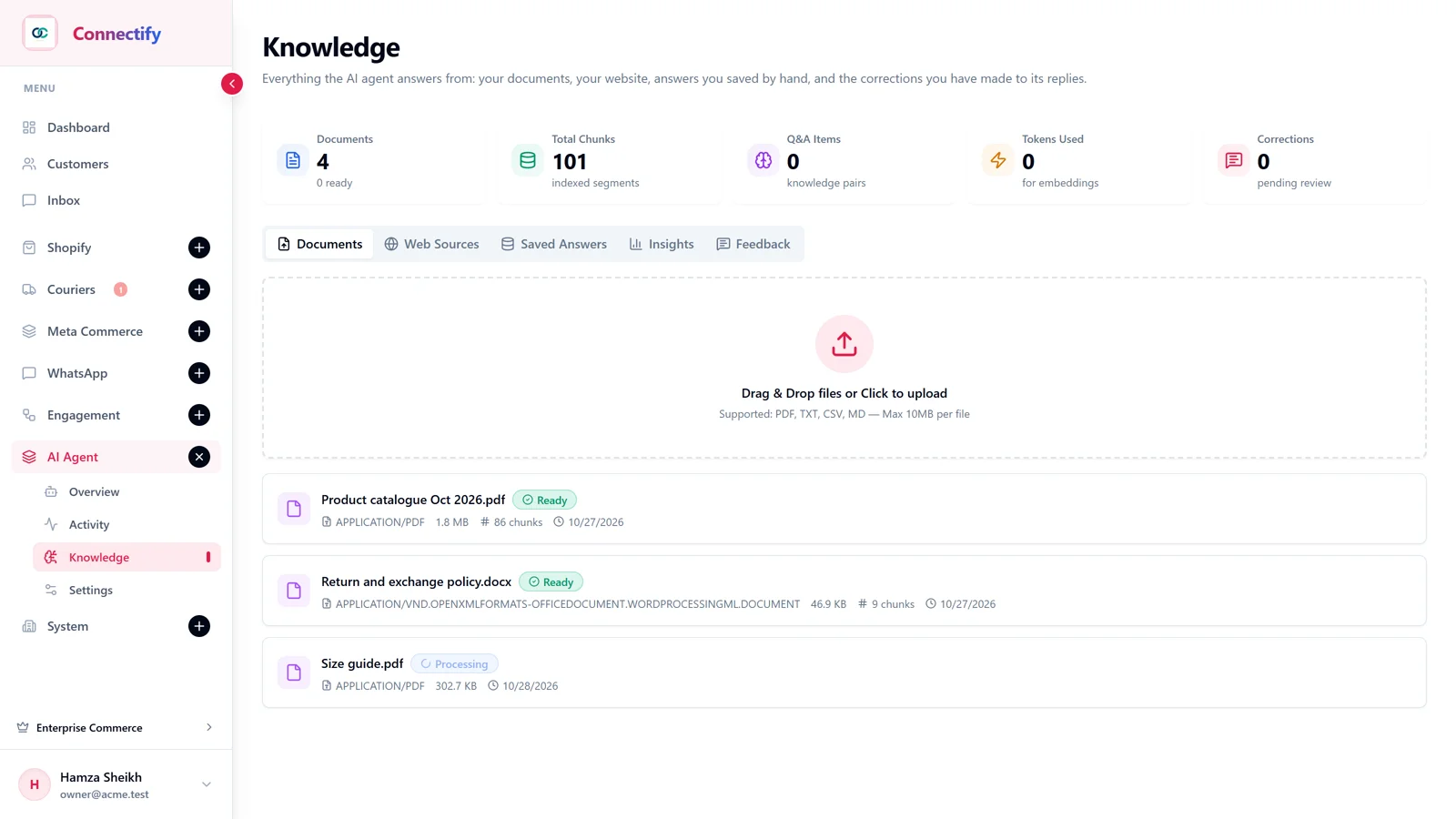
An agent that answers from your business, not from the internet
Upload your products, services, prices and policies, or point it at your website. It answers from that, in the customer’s language, and says it does not know rather than inventing an answer.
- Knowledge base
- Documents, product lists and web pages, indexed so the agent can quote the right line.
- Urdu and English
- Replies in the language the customer wrote in, in the tone you set.
- Photos and voice
- A customer sends a photo or a voice note; the agent reads both before it replies.
- Human handoff
- When it is unsure, it passes the chat to your team with a summary. Take over any chat yourself and the agent stops.
- Working hours
- Outside your hours it tells the customer when you are back instead of leaving them on read.
Templates
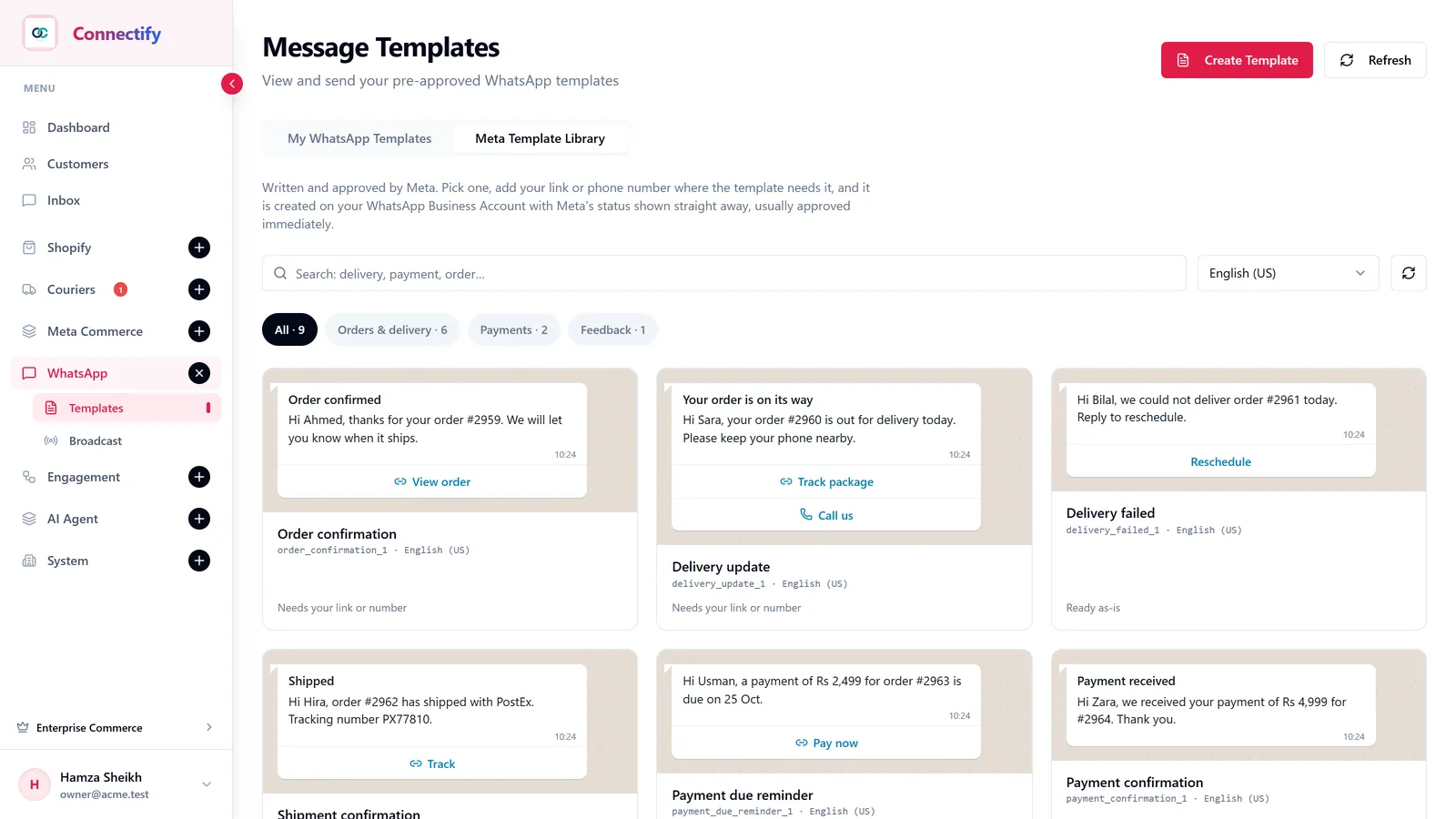
Approved templates without the back-and-forth with Meta
Pick a template Meta has already written and approved, add your link or number, and it is created on your account with the status shown straight away. Or build your own with buttons and media.
- Meta Template Library
- Order, delivery, payment and feedback templates that are usually approved immediately.
- Template builder
- Header, body with variables, footer, buttons and media, with a live preview before you submit.
- Status tracking
- Pending, approved or rejected, synced from Meta so you are not guessing.
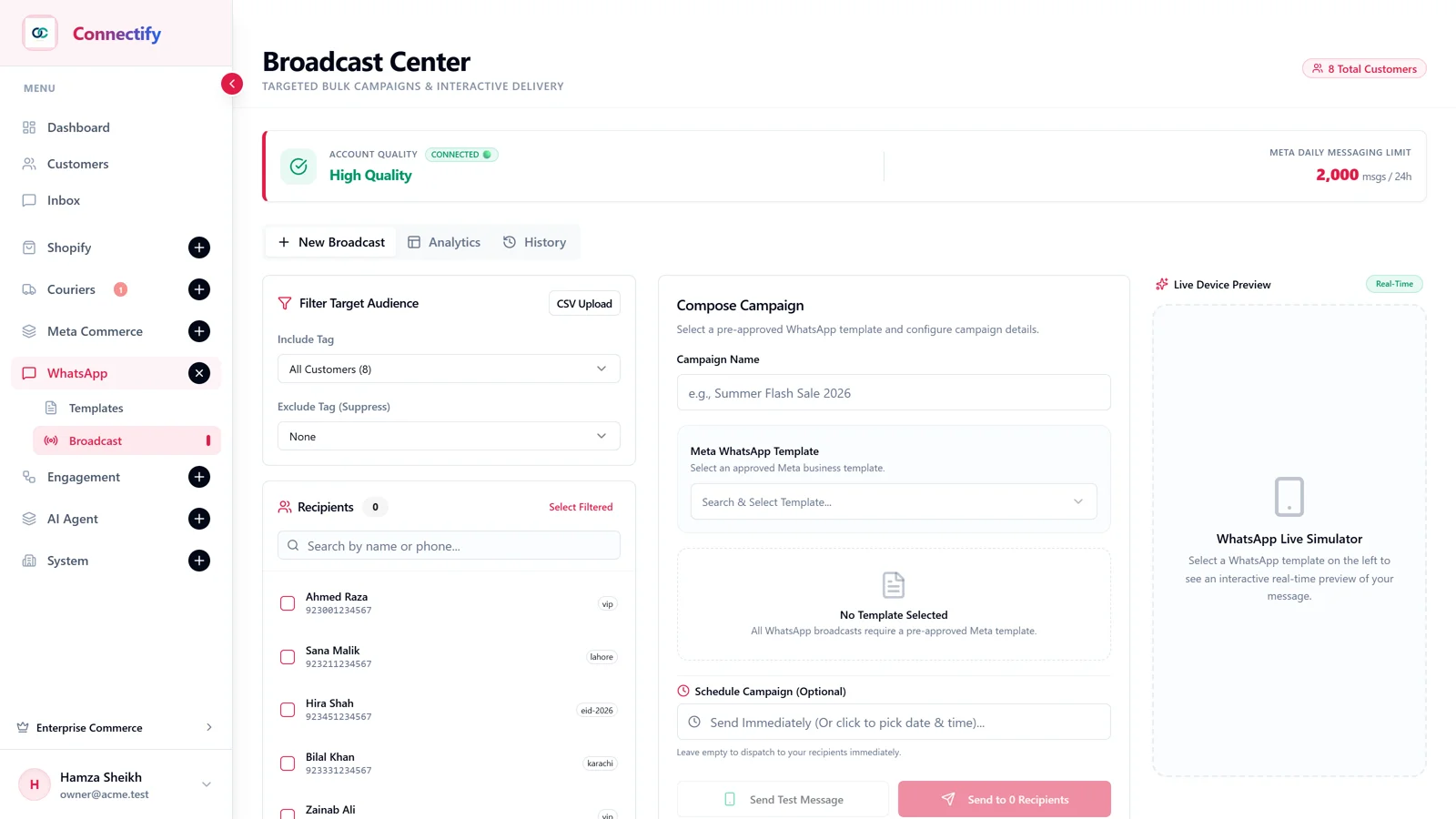
Broadcasts
Send to a segment, then see who read and who replied
Choose an approved template, choose the tags, send. Delivery, read and reply counts show per campaign, so the next one is better than the last.
- Tag-based audiences
- Send to the customers who match a tag, not to the whole list.
- Approved templates only
- Marketing goes out on templates Meta has approved, which keeps your number’s quality rating healthy.
- Per-campaign counts
- Sent, delivered, read and replied, per broadcast.
- Replies land in the inbox
- A customer who answers a broadcast is a normal conversation your team or the agent picks up.
Flows
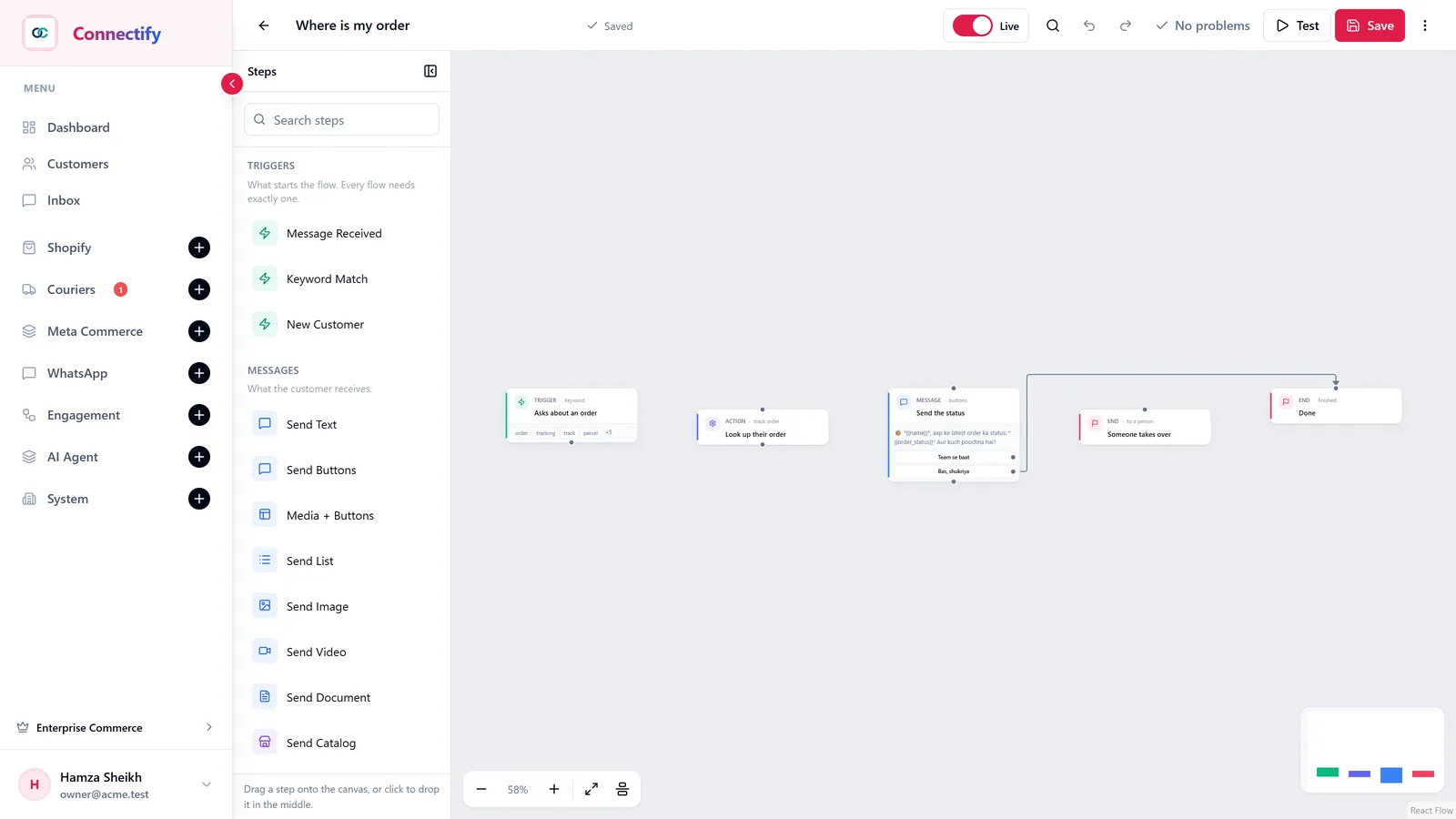
Automations you build by dragging, not by hiring a developer
A trigger, a few steps, an end. Menus, keyword replies, lists, media, catalogue messages and a hand-over to a person when the flow runs out.
- Triggers
- A message received, a keyword, or a new customer.
- Message steps
- Text, buttons, lists, images, video, documents and catalogue items.
- Actions
- Look up an order, route to a team member, collect details.
- Test before live
- Run the flow against your own number, then flip the Live switch.
Insights
Know what the team and the agent did today
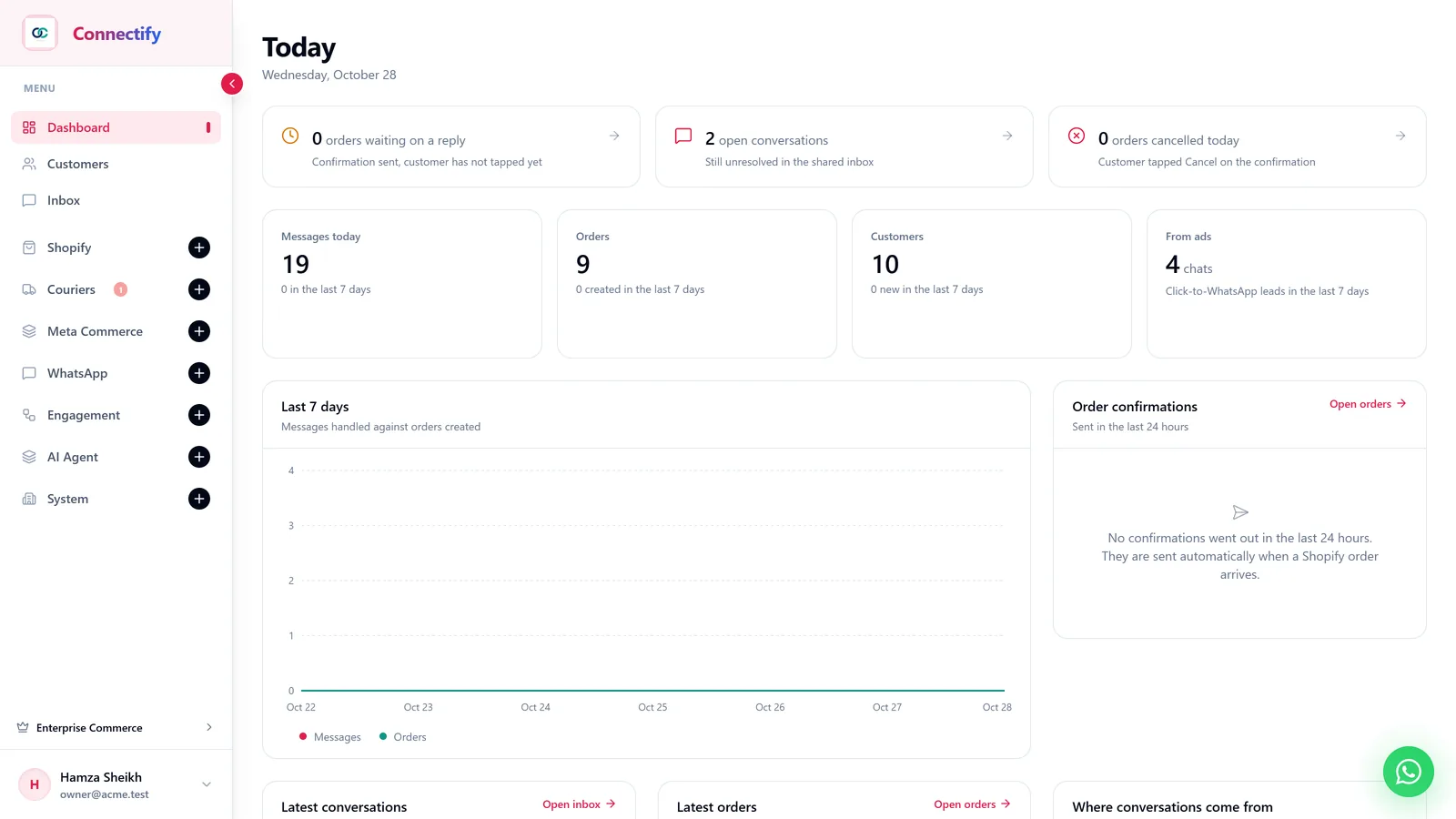
Messages, open conversations, orders, new customers and leads from click-to-WhatsApp ads, with the last seven days charted. Open any number and it takes you to the list behind it.
- Today at a glance
- What is waiting on a reply, what is open, what got cancelled.
- Seven-day trend
- Messages handled against orders created, per day.
- Ad attribution
- Chats that started from a click-to-WhatsApp ad are counted, so you know which ad brought the customer.
- Meta Commerce catalogue
- Connect your WhatsApp product catalogue from the same dashboard.
For online stores
Orders that confirm themselves and parcels that stop coming back
Optional, for stores. Connect Shopify and a courier, and the order confirmation, the follow-up on silence, the tracking message and the failed-delivery check all happen without anyone typing.
- COD confirmation
- Every new Shopify order gets a WhatsApp message with Confirm and Cancel buttons; the order status follows the tap.
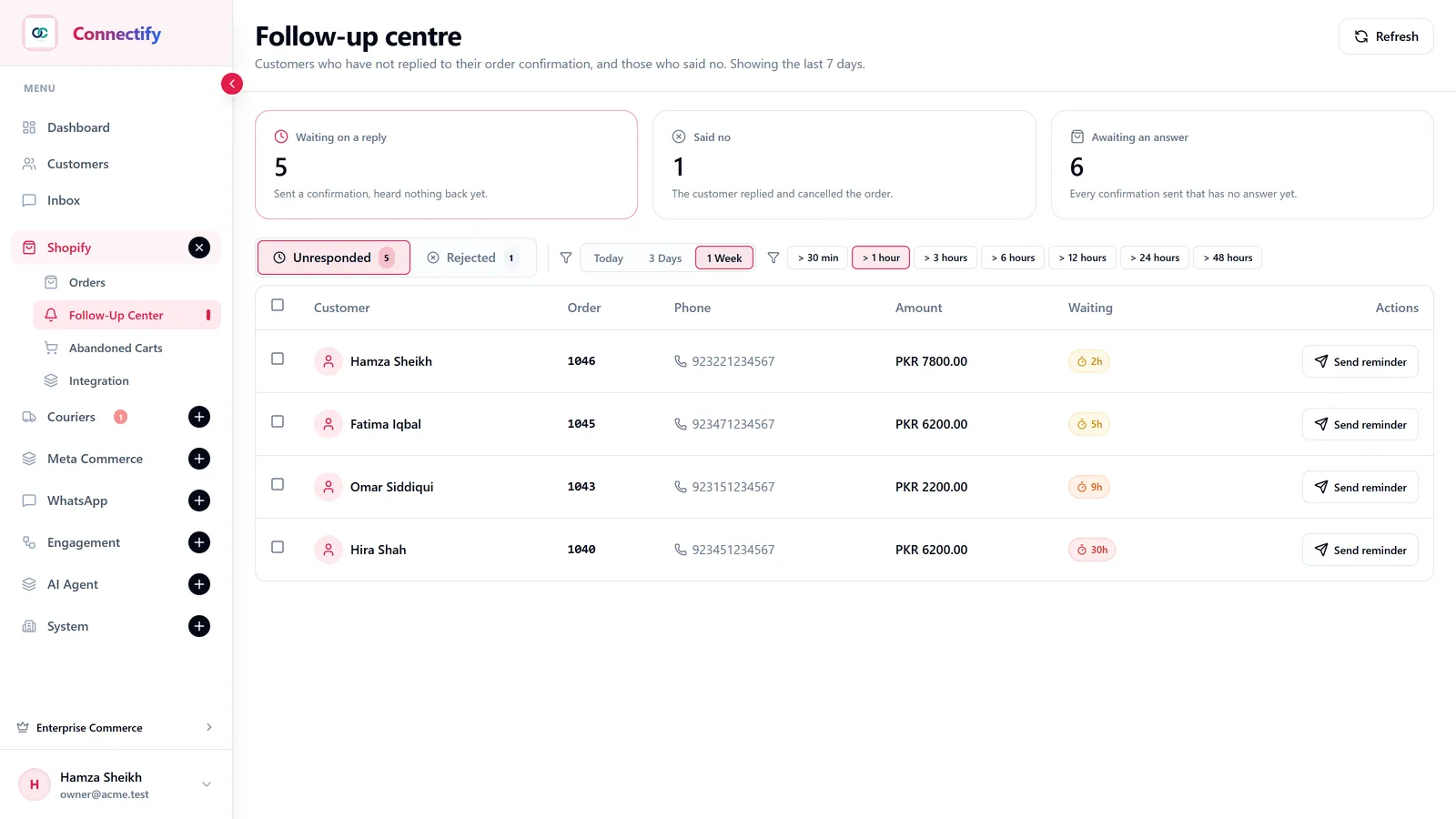
- Follow-up centre
- Confirmations with no answer, sorted by how long they have waited, with a one-click reminder.
- Abandoned checkouts
- A checkout that was filled in and left gets a recovery message.
- PostEx and Swift
- Tracking goes to the customer on its own. A failed delivery attempt asks the customer on WhatsApp before the parcel is returned.
Before you ask
- Is every feature on every plan?
- No. Starter covers the inbox, templates, broadcasts, orders and follow-ups. Growth adds the AI agent, flows and the Instagram and Messenger inbox. Enterprise adds Shopify and couriers. The trial unlocks everything; the exact table is on the pricing page.
- Can I see it before I sign up?
- Every screenshot on this page is the real product. You can also book a demo on the contact page, or start the trial; no card is needed.
Something else? Talk to us on WhatsApp or email.
Start answering on WhatsApp automatically, today.
Every feature unlocked during the trial. No card needed to start.